History
A history of the photobooth
From early automatic cameras to today’s tiny theatres of self-portraiture.
 Flashroom
An open book of small rooms
The inventions behind the curtain. The people inside it. And the little pictures we keep.
892 original stories and guides. History, film developing, darkroom printing, digital tools, places and the eight moods of Flashroom.
Explore 4,000 original photo booth layout presets. Add your own photos in the browser and download your picture.
Browse free photo booth templates892 stories
History
From early automatic cameras to today’s tiny theatres of self-portraiture.
History
The inventor behind a machine that could make a portrait without a photographer.
History
Enjalbert, Bosco, and why early machines were not today’s strip booths.
History
What US 1,631,593 tells us about seating, mirrors and lighting.
History
One manufacturer’s story, from a 1954 customer to redesigned cabinets.
History
A hundredth birthday, a London exhibition, and dates that need context.
History
Restoration preserves an experience and the knowledge needed to repair it.
History
An industrial designer’s chapter in the portrait cabinet’s history.
Art & culture
How repeated portraits became material for an artist.
Art & culture
Paris, 1929, and the strange freedom of a camera without an operator.
Art & culture
A 1985 photobooth project brought ordinary visitors onto gallery walls.
Art & culture
A photobooth format became part of a UNICEF fundraising project.
Inside the booth
Two ways to arrange photographs, and one important historical difference.
Around the world
Print Club, friendship albums, and a different kind of booth ritual.
Around the world
Four frames, a shared outing, and the difference from purikura.
Around the world
A department-store attraction became a tool for experimental portraits.
Around the world
A dated street photograph and a guide to recognising a working booth.
Around the world
AUTOFOTO’s own account of how a personal purchase became a restoration practice.
Inside the booth
A camera, a moving paper strip, and a darkroom small enough to hide behind a wall.
Inside the booth
A photographic material, not another name for a black-and-white filter.
Inside the booth
Dyes, light, and why a warm filter does not date a photograph.
Inside the booth
The cabinet’s age does not tell you how its pictures are made.
Make & keep
Four complete photo booth pose sequences for couples, friends and solo portraits, with simple timing and framing tips.
Make & keep
Three simple couples photo booth sequences, plus framing tips for keeping both faces in every picture.
Make & keep
Four-frame group photo booth ideas and practical ways to keep every friend visible in a small portrait.
Make & keep
Four ways to meet the camera without forcing a smile.
Make & keep
A simple setup with a stable camera, a background and a four-frame plan.
Make & keep
Pixel size, paper size and the fit-or-fill setting that matters.
Make & keep
Keep the object safe without sealing it to a scrapbook page.
Make & keep
A careful digital copy, with the border and original context intact.
Make & keep
Plan the space, the instructions and what happens to the pictures.
Make & keep
Photomaton, purikura, four-cut, contact sheet and other terms worth distinguishing.
Our eight booths
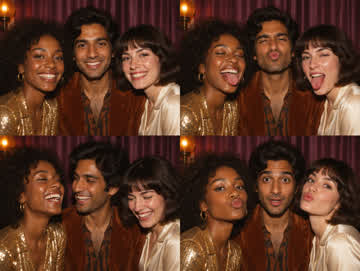
Golden colour · Soft glow. The story, format and a few ways to make it your own.
Our eight booths
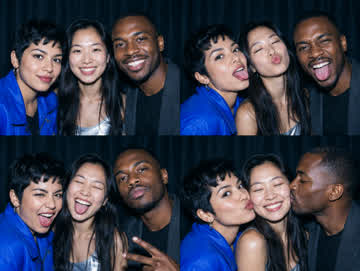
Colour flash · Four good moments. The story, format and a few ways to make it your own.
Our eight booths
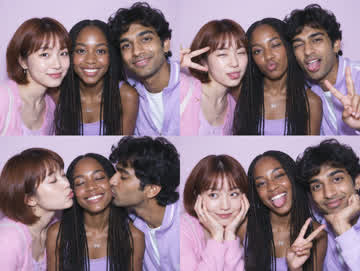
Pastel colour · Sticker party. The story, format and a few ways to make it your own.
Our eight booths
Soft silver · Timeless black & white. The story, format and a few ways to make it your own.
Our eight booths
Deep blacks · Silver grain. The story, format and a few ways to make it your own.
Our eight booths
Faded colour · Instant memories. The story, format and a few ways to make it your own.
Our eight booths
Four colours · Your own pop art. The story, format and a few ways to make it your own.
Our eight booths
Punchy colour · Arcade energy. The story, format and a few ways to make it your own.
Inside the booth
A guide to the camera, the countdown and the photographs behind an unexpectedly broad name.
Inside the booth
Two spellings, several meanings, and a useful way to make a search more precise.
Inside the booth
Compare analogue cabins, open-air cameras, mirrors, 360 video and phone booths by the result they make.
Inside the booth
Why a rotating-camera event clip is different from a paper strip or a navigable 360-degree photograph.
Inside the booth
The reflective entrance, touchscreen interaction and camera behind an event portrait.
Inside the booth
A practical comparison of group space, privacy, lighting and the way guests move through a session.
Inside the booth
Distinguish transformed portraits, generated scenes and ordinary filters before uploading a face.
Inside the booth
Choose a moving souvenir without losing the still photographs you want to print.
Digital booths
Set up an iPhone photo booth, take four portraits in Flashroom and choose between a strip and a contact sheet.
Digital booths
Choose between playful selfies and an event workflow, then test the complete session.
Digital booths
A practical photo booth app checklist for iPhone strips, iPad events, browser uploads and finished downloads.
Digital booths
Understand webcam booths and upload-based strip makers, and arrange your saved pictures with our browser print room.
Digital booths
A simple remote posing session, even when your chosen tool has no shared camera room.
Digital booths
Single portraits, four-picture sequences and video in Apple’s camera app.
Digital booths
Separate a camera problem from a permission, app or external-device problem.
Digital booths
Keep a whole session, one frame or an original outside Apple’s app.
Make & keep
Understand 2×6 strips, 4×6 sheets and the resolution needed for your own print.
Make & keep
Choose a photo booth template, add your saved pictures in the browser and download a finished PNG or a blank SVG.
Make & keep
Work out the slots, gaps and caption area before decorating the paper.
Make & keep
Make a photo strip from saved JPEG, PNG or WebP pictures and download one finished PNG from the Flashroom print room.
Make & keep
Measure the real print, preserve the edges and choose a mount that does not trap the photograph.
Make & keep
Build a small archive that preserves the sequence and its story.
Make & keep
Choose a file for photographs, transparent overlays, editable layouts and final prints.
Digital booths
Compare the preview and saved file before flipping lettering or a familiar face.
Events & occasions
Compare a real quote by hours, staff, prints, delivery and the things left outside the headline price.
Events & occasions
Compare responsibility, printing and guest flow before comparing the price.
Events & occasions
A place for one strip, one message and a record you can read years later.
Events & occasions
Original text for the entrance, countdown, print table and guest book.
Events & occasions
Fabric, paper, a painted wall and small details that survive the camera frame.
Events & occasions
Measure the camera’s frame, group width and access space instead of buying by a universal number.
Events & occasions
Choose a few readable objects and let the expressions carry the sequence.
Events & occasions
Rehearse capture, delivery and recovery before the first guest arrives.
Inside the booth
Find clear faces and a consistent colour before adding effects.
Inside the booth
Choose for the file, lighting, software and printer you intend to use.
Inside the booth
Understand what must work between the finished image and the paper.
Make & keep
Separate the layout file, print settings and connection before changing everything.
Events & occasions
Give guests one route through posing, delivery and collection.
Events & occasions
Test the approach, controls, camera frame and exit as one usable route.
Events & occasions
Rehearse changing light, weather and delivery before placing the camera outside.
Digital booths
Check uploads, gallery access and the difference between keeping a picture and publishing it.
Events & occasions
Make a portrait now, leave a message and keep a small record of the day.
Events & occasions
A sequence for the achievement, the people beside it and whatever comes next.
Events & occasions
Gentle group prompts and a book of wishes without a complicated setup.
Events & occasions
Build a small scene that keeps costumes, faces and the four-frame sequence visible.
Events & occasions
Four photographs, one small tradition and room for the people in the picture.
Inside the booth
Choose contrast that keeps expressions visible, whether the image is chemical or digital.
Inside the booth
Use framing, colour and a four-frame rhythm without inventing a photograph’s history.
Make & keep
Original short lines for couples, friends, birthdays and the ordinary evenings worth keeping.
Around the world
Separate public portrait booths, passport machines and event rentals before choosing a destination.
Around the world
A checked starting route through AUTOFOTO’s operator-listed locations.
Around the world
Operator-listed places, a practical visit plan and a small paper souvenir.
Around the world
Read the operator’s location list and distinguish outdoor machines from venue access.
Inside the booth
Select the document-photo process instead of assuming a souvenir strip will be accepted.
Events & occasions
Define the service, test delivery and calculate costs before buying a cabinet.
Inside the booth
Compare the complete system, ongoing costs and a real capture-to-print demonstration.
Art & culture
Choose a genuine collaboration or make an original fan-inspired strip without confusing the two.
Art & culture
A tiny museum print opens a different door into a photographer’s self-portrait.
Art & culture
An automated ID camera becomes the setting for an experiment in appearance.
Art & culture
Sawada’s own account gives the project a practical setting as well as a concept.
Art & culture
The visitors’ pictures became part of the work, rather than souvenirs outside it.
Art & culture
A project moved from an exhibition room into a network of public machines.
Art & culture
A photograph and its handwritten reverse record more than appearance alone.
Art & culture
The photographic surface can be a beginning for a different medium.
Art & culture
A museum’s visitor portraits became material for an exhibition in 2024.
Art & culture
A museum teaching resource lets us read a small Surrealist sequence.
Art & culture
The catalogue preserves an object’s dimensions and its place in a group.
Art & culture
Clothing, props and added marks turn a repeatable portrait into a personal vocabulary.
Art & culture
Private collections brought small portraits of Black Americans into public view.
Art & culture
Collecting gives ordinary portraits a second setting in which to be read.
History
A technician’s repeated checks left an unexpected photographic archive.
Art & culture
A 2017 work brings motherhood and photographic practice into the same space.
Art & culture
A 2012 exhibition organised the booth around questions rather than a single inventor.
Art & culture
A museum event used the cabin format for a different kind of intimate experience.
Around the world
Find the current machines while keeping their history separate from live directions.
Around the world
Use the operator’s own information to locate a small photographic stop.
Art & culture
Creation dates, accession numbers and print media answer different questions.
Make & keep
A small interview can preserve more than a confident guess from appearance.
Make & keep
Separate evidence, recollection and visual guesses in a useful caption.
Make & keep
The surrounding page can be part of the evidence.
Make & keep
An original record template for a box that has become difficult to navigate.
Make & keep
Dates and handwriting deserve their own image.
Make & keep
A repeatable quality check catches missing edges and unreadable notes.
Make & keep
An original setup experiment for a phone and a stable support.
Make & keep
Improve its storage and copying plan without forcing it flat.
Make & keep
Do not turn removal into the first step of digitisation.
Make & keep
A digital reconstruction and a physical repair are different tasks.
Make & keep
Identify the material and circumstances before treating a damaged photograph.
Make & keep
Build an album page without bonding the picture to it.
Make & keep
A useful question to ask beyond the word acid-free.
Make & keep
Find an original without repeatedly handling the entire collection.
Make & keep
Let the room enjoy the portrait while the original rests elsewhere.
Make & keep
One file does not have to perform every job.
Make & keep
A second copy matters only if it can be found and opened.
Make & keep
Give the recipient names and uncertainty without cluttering the photograph.
Make & keep
A cleaner image should still have a traceable relationship to its source.
Make & keep
An original question sheet for the story that sits beyond the frame.
Digital booths
A worked example makes the shape mismatch visible.
Digital booths
Use a preview check that includes every person and every frame.
Digital booths
Choose by the session’s practical needs, then compare saved pictures.
Inside the booth
Test the changing poses before relying on an automatic camera.
Inside the booth
Compare framing and perspective without trusting a filter to fix the setup.
Inside the booth
A small lighting rehearsal keeps eyes visible without asking everyone to remove glasses.
Inside the booth
Balance a mixed group before the countdown starts.
Inside the booth
Document the setup that worked instead of rediscovering it at every event.
Make & keep
Compare the source pixels with the size you asked the printer to make.
Make & keep
Understand the difference between pixels and a file’s resolution label.
Make & keep
A measured layout makes a cleaner pair than an improvised cut.
Make & keep
A small proof reveals where the paper and image actually meet.
Make & keep
Give the printer dimensions, quantity and a file you have actually checked.
Make & keep
A page container and an image’s dimensions are separate choices.
Digital booths
Know whether you downloaded editable artwork or a composed picture.
Digital booths
Check the background in the destination, not only the editor.
Digital booths
Convert a copy when the editor needs JPEG, PNG or WebP.
Digital booths
The visible caption and the file’s embedded data deserve separate checks.
Digital booths
A worked composition keeps the sequence visible in a tall image.
Digital booths
A received copy can differ from the file you meant to preserve.
Events & occasions
Arrange faces before adding movement or props.
Events & occasions
Simple choices make the session easier to understand and keep.
Events & occasions
Keep the setup voluntary, stable and easy to leave.
Events & occasions
Keep names and the occasion beside the playful sequence.
Make & keep
A repeatable arrangement lets small changes remain visible.
Events & occasions
A small change of gaze can carry a whole sequence.
Events & occasions
Use a gesture that enters the frame without hiding the faces.
Events & occasions
Let a meaningful object move through the sequence.
Make & keep
Keep the framing consistent while recording a few personal details.
Events & occasions
Keep the clothes readable and the gestures small enough for the strip.
Events & occasions
Keep the person visible while giving the silhouette enough room.
Events & occasions
Let the looks change while the framing remains steady.
Events & occasions
A costume can frame a person without hiding the whole performance.
Make & keep
Use two sessions to preserve the change without inventing a narrative.
Digital booths
A shared framing plan can connect two separate sessions.
Events & occasions
Keep one action small enough to read from beginning to end.
Events & occasions
Use one short action and an example sequence.
Events & occasions
Let the portrait work for a guest who prefers to stay still.
Make & keep
A four-box sketch can reveal whether the idea fits the frame.
Make & keep
Keep the date clear and the personal story attributed.
Events & occasions
A worked timing model for a queue, without pretending everyone arrives evenly.
Events & occasions
Put preparation, opening and closing decisions on one usable page.
Events & occasions
Teach the complete guest journey with one supervised rehearsal.
Events & occasions
Design the digital handoff as carefully as the capture.
Events & occasions
Check the workflow you intend to use under the conditions it will face.
Events & occasions
Choose a small recoverable plan before guests are waiting.
Events & occasions
Use session references rather than putting unnecessary personal data in filenames.
Events & occasions
Collection, delivery and publication are three separate decisions.
Make & keep
Keep rehearsal, sample artwork and a guest’s finished result distinct.
Events & occasions
Words behind the group can become a second unintended subject.
History
Begin with a collection record and an image-specific rights statement.
History
Read the statement for the particular photograph you intend to use.
Make & keep
Keep creator, licence and changes together with the image.
History
A generated scene and a historical photograph serve different purposes.
History
Read the timeline before retelling the object’s story.
Art & culture
Record the work’s label before your interpretation.
History
A controlled vocabulary can reveal records a single spelling misses.
Art & culture
A 1929 magazine arrangement gave individual faces a collective setting.
Inside the booth
Identify the object before borrowing advice about old film.
History
Operators, collectors and artists met around the same small machine.
Film & darkroom
From a sealed roll to dry negatives, with a process sheet for your actual materials.
Film & darkroom
The latent image, development and the difference between an image and its support.
Film & darkroom
Three named baths with different jobs, rather than three interchangeable bottles.
Film & darkroom
A worked example of 1+4, with total volume kept separate from concentrate.
Film & darkroom
Practise the reel movement in daylight before committing exposed film to darkness.
Film & darkroom
A tank, measuring tools and a dry run that includes the last step.
Film & darkroom
A comparison by process and working habits, with supplier claims clearly identified.
Film & darkroom
Choose a preparation routine you can carry out consistently.
Film & darkroom
Stock and diluted working solutions need their matching time and agitation schedule.
Film & darkroom
A liquid concentrate whose dilution must still match the film and process.
Film & darkroom
Separate concentrate, stock, working solution and reuse history.
Film & darkroom
Movement brings fresh solution to the emulsion, but the pattern must match the recipe.
Film & darkroom
A water-bath plan and a record of what the thermometer measured.
Film & darkroom
Why longer processing cannot simply restore every shadow lost during exposure.
Film & darkroom
Choose a colour-negative kit and follow the instructions for that exact version.
Film & darkroom
A combined bath can simplify one stage without making all colour processes equivalent.
Film & darkroom
Read the process designation rather than choosing chemistry from the picture’s colour.
Film & darkroom
Check edge markings and the whole roll before blaming one frame.
Film & darkroom
A final rinse has a specific purpose; more concentrate is not automatically better.
Film & darkroom
Separate the dry image-making work from wet processing and organise a clear route.
Film & darkroom
The enlarger exposes paper; the paper then has its own processing sequence.
Film & darkroom
Compare exposures in a useful part of the photograph.
Film & darkroom
A single paper record helps connect frames with their negative sleeves.
Film & darkroom
Colour alone does not prove a lamp is safe for your paper.
Film & darkroom
Use the paper’s own wash and drying instructions, rather than a fibre-paper routine.
Film & darkroom
Keep product information and local collection rules together.
Film & darkroom
Connect exposure, chemistry and the finished negative in one record.
Digital booths
Separate an incomplete download from an unsupported format.
Digital booths
Follow the browser download before searching the photo library.
Digital booths
Make a delivery copy without replacing your print master.
Digital booths
Use small text and facial detail as your test subjects.
Digital booths
Use an export operation, not a new suffix.
Digital booths
Choose a delivery file that preserves the intended picture.
Digital booths
Compare the sent copy with the original export.
Digital booths
Check whether you need a page or an image.
Digital booths
Measure the file you will send, not its screen preview.
Digital booths
Choose a practical output size before inventing missing detail.
Digital booths
Give recipients a map instead of a pile of ambiguous files.
Digital booths
Identify the finished image before deleting similar names.
Digital booths
Turn the layout without changing its proportions.
Digital booths
Make the border part of the image you intend to preserve.
Digital booths
Inspect the cut-out on the background where it will live.
Digital booths
Give the portrait room without shrinking it into illegibility.
Digital booths
Compare an ordinary print proof before re-editing all your photos.
Digital booths
Make the mood change reversible in your own archive.
Digital booths
Test the destination and the printed code before distributing copies.
Digital booths
Check the exported letters, not only the text field.
Digital booths
Treat the exported symbol as part of the proof.
Digital booths
Make a working copy before trying a new look.
Digital booths
Download your composition before leaving the editor.
Digital booths
Existing-photo composition and live capture are different flows.
Digital booths
Give the recipient a usable file with a clear purpose.
Digital booths
Choose an output the destination can actually display.
Digital booths
Flatten the picture onto a deliberate surface.
Digital booths
Compare one deliberate export with the on-page composition.
Digital booths
Give each composition a clear purpose.
Digital booths
Record wording changes alongside picture revisions.
Inside the booth
Find a repeatable place beside daylight.
Inside the booth
Move the setup before trying to repair every face.
Inside the booth
Check changing light before adding a filter.
Inside the booth
Make the frame comfortable before the countdown.
Inside the booth
Test the portrait angle with the people who will use it.
Inside the booth
Test the support with the actual capture controls.
Inside the booth
A replaceable test helps distinguish haze from a chosen effect.
Inside the booth
Review a face, not just a busy background.
Inside the booth
Test their relative positions before changing equipment.
Inside the booth
Give the sequence a comfortable rhythm.
Inside the booth
Separate a movement problem from a focus problem.
Inside the booth
Find separation without demanding a different outfit.
Inside the booth
Compare the silhouette as well as the face.
Inside the booth
Change the setup before changing the person.
Inside the booth
Frame the person as they choose to appear.
Inside the booth
Compare the lens and the preview without prescribing one expression.
Inside the booth
Use a small turn as the story between frames.
Inside the booth
Check mirrors and glass before the guests arrive.
Inside the booth
Judge the pattern at the final picture size.
Inside the booth
Keep the detail while controlling distracting highlights.
Inside the booth
Make absence part of the sequence rather than an unexplained failure.
Inside the booth
Build visual continuity without inventing a shared session.
Inside the booth
Test the actual route from camera to keepsake.
Inside the booth
Make a creative angle comfortable and reversible.
Inside the booth
Test every face rather than only the person nearest the lens.
Inside the booth
Use movement gently and keep the face readable.
Inside the booth
Keep gestures readable without covering the expression.
Inside the booth
Decide whether the texture helps the portrait.
Inside the booth
Adapt the camera to the guest’s chosen presentation.
Inside the booth
Preserve a working arrangement without keeping the previous person’s data on display.
Make & keep
Record what arrived before rearranging the collection.
Make & keep
Connect photographs, envelopes and digital copies.
Make & keep
Keep inscriptions and packaging connected to the image.
Make & keep
Name masters and edited copies so they stay distinguishable.
Make & keep
Preserve handwriting without turning a guess into a date.
Make & keep
Make an unknown face findable without inventing a name.
Make & keep
Ask questions that preserve memories and uncertainty.
Make & keep
Put several small portraits in front of the same reader.
Make & keep
Locate a defect before editing it out of every image.
Make & keep
Recognise reflections before processing the image.
Make & keep
Make future comparisons easier without claiming perfect colour.
Make & keep
Preserve the complete object before making a neat crop.
Make & keep
Document the join when making a combined image.
Make & keep
Test retrieval instead of only checking that a folder exists.
Make & keep
Keep descriptions usable outside one collection app.
Make & keep
Make a stored collection understandable without opening every envelope.
Make & keep
Keep track of an original that leaves its storage box.
Make & keep
Preserve both pieces of evidence and explain the disagreement.
Make & keep
Show the gap without inventing a replacement portrait.
Make & keep
Compare objects before deciding what a collection contains.
Make & keep
Separate the photographer, owner and supplier of the scan.
Make & keep
Make the display readable while protecting the originals.
Make & keep
Catalogue the printed reproduction and the original separately.
Make & keep
Send a precise research question instead of an unlabelled image.
Make & keep
Make changed identifications traceable.
Make & keep
Explain what the archive covers and what it does not.
Make & keep
Keep the written source and photograph independently identifiable.
Make & keep
Document size without laying a ruler over a portrait.
Make & keep
Separate a convenient view from the raw capture.
Make & keep
Use observable details instead of an improvised diagnosis.
Events & occasions
Put useful expectations in the invitation without overpromising.
Events & occasions
Keep finished prints separate from equipment and drinks.
Events & occasions
Make the first session feel understandable without a lecture.
Events & occasions
Handle an interrupted sequence without surprising the people already posing.
Events & occasions
Ask how many keepsakes are needed before printing.
Events & occasions
Keep the setup understandable when one person steps away.
Events & occasions
Test power during a realistic session.
Events & occasions
Leave room for real captures and exports.
Events & occasions
Find the correct portrait before sending another copy.
Events & occasions
Let the person confirm the caption.
Events & occasions
Try the materials before guests sign the final pages.
Events & occasions
Remove personal distractions before handing it to guests.
Events & occasions
Recheck the booth after the room changes mood.
Events & occasions
Use visible prompts that do not depend on hearing a helper.
Events & occasions
Close the queue without leaving guests stranded.
Events & occasions
Explain the print and digital routes without clutter.
Events & occasions
Change one creative element instead of the entire setup.
Events & occasions
Keep the capture space clear between groups.
Events & occasions
Provide a convenient temporary place without promising safekeeping.
Events & occasions
Respect separate preferences about delivery and sharing.
Events & occasions
Review the experience before the guests arrive.
Events & occasions
Let atmosphere support the portrait rather than overwhelm it.
Events & occasions
Translate sessions into the paper your setup consumes.
Events & occasions
Translate the guest action, not a page of technical settings.
Events & occasions
Create an option for guests who dislike the busy queue.
Events & occasions
Keep an event organiser’s label separate from a public portrait.
Events & occasions
Deliver one clearly identified replacement.
Events & occasions
Make the download window clear before access ends.
Events & occasions
Close the event with verified outputs.
Events & occasions
Keep a portrait review from becoming an unintended public display.
Make & keep
Preserve the original and design a usable reading keepsake.
Make & keep
Leave space for the practical message.
Make & keep
Plan the fold around the picture.
Make & keep
Keep private faces hidden until the recipient opens it.
Make & keep
Let the portrait sequence guide the pages.
Make & keep
Keep the postal layout separate from the picture.
Make & keep
Keep the keepsake accessible without gluing it down.
Make & keep
Explain their relationship without changing the originals.
Make & keep
Use a paper plan before making a permanent display.
Make & keep
Give the picture room without trapping an original in craft materials.
Make & keep
Make a replaceable everyday display.
Make & keep
Keep the label beside the photograph rather than on it.
Make & keep
Judge fine facial detail on an actual proof.
Make & keep
Test which way the printer turns the paper.
Make & keep
Keep cutting guides outside the finished image.
Make & keep
Keep the dates usable and the photograph readable.
Make & keep
Give the name its own readable space.
Make & keep
Plan the sequence before attaching the pictures.
Make & keep
Separate a remembered location from a verified one.
Make & keep
Create a story while keeping invented dialogue identifiable.
Make & keep
Describe the frames before interpreting the sitter.
Make & keep
Keep its border and caption visible in the final setting.
Make & keep
Break the wording where it remains easy to read.
Make & keep
Keep modern writing distinct from historical inscriptions.
Make & keep
Use one approved proof as the reference.
Make & keep
Make faces and text readable where the keepsake will be used.
Make & keep
Specify the output rather than describing a screen preview.
Make & keep
Keep a record of what was shown.
Make & keep
Give the reader a clear entry point and a source.
Make & keep
Use one short pass through picture, caption and dimensions.
Inside the booth
Make a sequence without changing the framing.
Inside the booth
Build a small visual relay.
Inside the booth
Use looks and small reactions instead of speech bubbles.
Inside the booth
Give a portrait sequence an unseen subject.
Inside the booth
Change position without sacrificing a readable face.
Inside the booth
Make the final frame feel different.
Inside the booth
Let a small detail connect the frames.
Inside the booth
Use an offset pose without losing the sitter.
Inside the booth
Build a portrait around a small change.
Inside the booth
Keep expressions visible while gestures change.
Inside the booth
Make an eight-frame narrative while preserving both originals.
Inside the booth
Keep the person comfortable and the eyes readable.
Inside the booth
Use a reading gesture without hiding the sitter.
Inside the booth
Keep the face and the prop in balance.
Inside the booth
Keep the message large enough to read.
Inside the booth
Use attention without inventing a real conversation.
Inside the booth
Show a person’s chosen interests without a crowded set.
Inside the booth
Make a strip without a sequence of dramatic poses.
Inside the booth
Create a visual question without hiding the portrait.
Inside the booth
Make a shared pose without demanding identical bodies.
Inside the booth
Use the frame order to explain the idea.
Inside the booth
Add context without pretending the detail came from the booth.
Inside the booth
Label the new portrait as a present-day response.
Film & darkroom
Film count alone does not specify how much liquid to prepare.
Film & darkroom
Follow the product’s capacity rules.
Film & darkroom
Prevent two different concentrations from looking interchangeable.
Film & darkroom
Use the timing convention in the selected instructions.
Film & darkroom
Find disagreement before starting the film.
Film & darkroom
Learn the movement before working in darkness.
Film & darkroom
Put every required part inside before closing it.
Film & darkroom
Reduce confusion between preparation stages.
Film & darkroom
Keep shared processing and separate exposure histories.
Film & darkroom
Make your process traceable to an actual document.
Film & darkroom
Inspect the film itself before judging a scan.
Film & darkroom
Check tank coverage as one possible cause.
Film & darkroom
Look at handling as well as chemistry.
Film & darkroom
Know where wet film will go.
Film & darkroom
Keep a roll understandable after scanning.
Film & darkroom
Start with a frame you can evaluate clearly.
Film & darkroom
Size and exposure are connected.
Film & darkroom
Keep surface, product and batch information with the print notes.
Film & darkroom
Use chemistry specified for the material.
Film & darkroom
Make transfers clear under working light.
Film & darkroom
A previous test describes a previous arrangement.
Film & darkroom
Keep two printing decisions visible.
Film & darkroom
Do not test only a convenient empty corner.
Film & darkroom
Connect the print to its negative and printing session.
Film & darkroom
Make it an index to the negatives.
Film & darkroom
Use the product’s capacity guidance.
Film & darkroom
Read the correct section of the technical sheet.
Film & darkroom
Compare like viewing conditions.
Film & darkroom
Aim for one documented result rather than an unlimited batch.
Film & darkroom
Send evidence that connects exposure, processing and output.
Art & culture
A small sequence preserved in the Centre Pompidou collection.
Art & culture
The museum record keeps the poet’s identity and the object’s history separate.
Art & culture
A catalogue entry connects a small print to a wider Surrealist collection.
Art & culture
A photographer becomes the subject of an automated portrait.
Art & culture
A booth record that does not fit a universal four-frame rule.
Art & culture
A named sitter in a machine-attributed portrait.
Art & culture
A narrow object with a specific collection reference.
Art & culture
Distinguish the individual strip from the portrait of two brothers.
Art & culture
Two represented people, one catalogue object.
Art & culture
The machine’s attribution remains part of the object record.
Art & culture
A group portrait identified by the museum catalogue.
Art & culture
A compact print with a separate collection identity.
Art & culture
A narrow strip in the Centre Pompidou’s Surrealist group.
Art & culture
Richard Avedon made a small portrait with an automated camera in 1957.
Art & culture
An early photobooth self-portrait is dated to about 1940.
Art & culture
The foundation’s exhibition archive documents their automatic self-portraits.
Art & culture
A museum print and an auctioned print have different catalogue dates.
Art & culture
A first-person account preserves an everyday New York ritual.
Art & culture
A museum essay links older self-portraiture with digital culture.
Art & culture
Distinguish the source photographs from Warhol’s finished work.
History
The 1972 cartridge kept film enclosed in a small camera system built for easy loading and portability.
History
Kodak introduced the format for a folding camera small enough to carry in a pocket.
History
The 1965 format kept the same width but offered roughly twice the film length per roll.
History
The 1996 APS format redesigned the cartridge, camera and processing workflow for consumer convenience.
History
Albums turned small portraits into arranged collections, making photography a social practice rather than a set of isolated images.
History
Albumen paper allowed detailed prints from negatives, helping small portraits circulate as repeatable keepsakes.
History
An underexposed collodion negative appears positive when a dark backing is placed behind the glass.
Art & culture
People of the Twentieth Century organized portraits by social types while preserving individual differences.
History
Autochrome plates used colored starch grains as a filter mosaic over a photographic emulsion, producing a unique transparency.
Art & culture
His stark white backdrop brought ranchers, miners and laborers into a deliberate portrait series.
Art & culture
Photography entered Bauhaus practice through experiments and publications before a dedicated teaching structure developed.
Art & culture
Her Changing New York project paired carefully located photographs with publication and urban history.
History
A Met record describes a police identification system combining measured bodies, written descriptions and standardized face photographs.
History
A C-type print uses several light-sensitive emulsion layers that record color information and form dyes during printing.
History
A cabinet card’s mounted photograph was designed to be displayed, collected or placed in an album.
History
The calotype made a negative-to-positive workflow possible, allowing multiple prints to come from one camera exposure.
History
The camera obscura projected a scene through an opening, but a light-sensitive process was needed to preserve the image.
History
A delayed shutter release turned a solo camera into a simple tool for group photographs and self-portraiture.
History
Carbon printing uses pigmented gelatin to form an image, rather than metallic silver particles in a gelatin layer.
Art & culture
The Kitchen Table Series uses one domestic set and a recurring protagonist to build a narrative across staged photographs.
History
A standardized card size and multi-image negative helped studio portraits circulate widely in albums and through exchange.
Art & culture
The Untitled Film Stills use role-play and cinematic conventions to examine how images construct femininity.
Art & culture
Cahun’s constructed portraits questioned fixed ideas about gender and personal identity.
Art & culture
Cliché-verre used a hand-drawn or scratched glass negative to expose a photographic print, blending artistic gesture and camera-less copying.
History
Collotype was a photomechanical printing process that used gelatin on glass to transfer photographic tones to paper.
Art & culture
Kodak’s huge transparency display turned color photography into a public spectacle viewed by commuters in New York.
Art & culture
Atkins used blue cyanotype photograms to document algae and publish a landmark book illustrated with photographs.
History
A long exposure recorded a street scene and a human figure who remained still long enough to appear.
History
The daguerreotype formed a direct positive on a silver-coated copper plate, making each plate a distinct object.
Art & culture
Hockney’s photo-collages use overlapping pictures to make viewpoint and time visible.
Art & culture
The carefully frontal double portrait invites comparison while resisting the idea that two people are interchangeable.
History
Kodak’s company history dates its first digital camera invention to 1975, long before consumer phone cameras.
History
Kodak’s 1986 practical megapixel CCD milestone followed its 1975 digital camera prototype and preceded consumer cameras.
History
Digital inkjet printers brought computer-made images into photographic output, with pigment versions offering a different material from silver prints.
Art & culture
Maar combined an existing Versailles photograph with a new figure to unsettle the viewer’s sense of space.
History
Dye destruction printing made vibrant positive color prints from transparencies by selectively removing dyes in the print material.
History
Dye-transfer prints combined three color-separated records to make a carefully controlled full-color photographic print.
History
A line of cameras turned a running horse into a sequence that could be studied frame by frame.
History
Short flashes could freeze events too quick for ordinary observation and make them available for study.
History
A patent filed in 1889 and granted in 1890 describes a coin-triggered photograph made with ferrotype and damp collodion.
Art & culture
A 1950 Vogue image combines portrait photography with applied print media and graphic cropping.
History
Chronophotography recorded multiple phases of motion as evidence for physiological study.
Art & culture
Edward Steichen arranged hundreds of images into a traveling essay about shared human experience.
History
A National Archives guide explains which dates and application details help locate passport files that contain applicant photographs.
History
Edmund Fisher’s patent describes a chain of mechanical stages, from plate feeding to chemical processing and delivery.
Art & culture
Woodman’s photographs explore figure, architecture and visibility through carefully staged scenes.
History
A government photo unit created an extensive record of rural and urban American life from the mid-1930s through wartime.
History
Gelatin silver materials made black-and-white printing simpler to manufacture and use at scale through the twentieth century.
Around the world
A 1947 charter created an institution to collect, preserve and study photography and allied technologies.
History
Panoramic cameras and magnesium flash helped Lawrence tackle subjects beyond ordinary camera scale.
Art & culture
Wearing used a family photograph as the basis for a larger portrait made decades later.
Art & culture
The 1942 portrait of Ella Watson pairs a deliberate pose with a broader photographic series about her life.
Art & culture
The California group promoted sharp-focus photographs and a direct use of the camera’s descriptive detail.
Art & culture
Gum bichromate let photographers alter the print surface by hand, creating effects closer to drawing or painting.
History
Halftone methods converted tonal images into printable patterns, allowing photography to appear in commercial illustrated publications.
Art & culture
In “Watched,” cut printed pictures meet references to craft, turning collage into social commentary.
Art & culture
A Finnish museum documents an installation made from anonymous negatives created at a Helsinki passport-photo shop.
Around the world
Muspratt built a portrait practice in Oxford while preserving experimental and documentary photographs in her archive.
History
A mid-1840s photographic project made working life and community its subject.
Art & culture
An 1840 self-portrait used costume and a written reverse to turn photography into a fictional statement.
Art & culture
Late in life, Cunningham made a portrait project about people living beyond ninety.
History
The cartridge system simplified one frustrating step of amateur photography, while the camera still depended on processing.
Around the world
ICP joined exhibition, education and archive work around the idea of concerned photography.
History
Early magnesium flash let Riis photograph dark interiors and present images in reform lectures.
History
A Harlem studio made portraits of families, performers and community members during the early twentieth century.
Art & culture
Close views of an aging body made a portrait series without relying on the face.
Art & culture
Cameron’s portraits used close framing and imperfect focus as expressive choices in an early artistic practice.
Art & culture
The famous 1941 portrait came from a planned lighting setup and an unplanned change in Churchill’s expression.
History
Kodachrome helped establish amateur color film, first in a motion-picture format and then in still and home-movie formats.
History
Kodak announced Kodacolor in 1942 as a color negative film for still photography, widening color’s everyday uses.
History
Kodak’s inexpensive Brownie made camera ownership accessible to more consumers from 1900 onward.
History
The 1982 system used a flat rotating film disc to make small cameras especially easy to load.
History
Kodak’s 1988 Create-a-Print center let customers crop and print enlargements in a retail kiosk, anticipating interactive photo services.
History
The 1925 camera brought a small cinema-film format into serially produced still cameras.
History
The National Child Labor Committee archive preserves prints, glass negatives and caption cards as a linked record.
History
Founded in 1947, the cooperative linked independent photographers with shared editorial and distribution structures.
Art & culture
Sidibé documented youth culture and social life around Mali’s independence through portraits and event photography.
Art & culture
His Rayograph series used layered light exposures to make camera-less images that behave like compositions, not records.
Art & culture
The darkroom effect gives a conventional sitter portrait a boundary between positive and negative tones.
History
A 1897 patent by Margarita Mann for Charles Mann focuses on timing the exposure, development and delivery sequence.
Art & culture
Lange made a sequence at Nipomo; captions and later accounts complicate the iconic image’s public story.
Art & culture
A Paris studio made a public identity from natural light, spare settings and famous sitters.
Art & culture
The project’s slide sequence and soundtrack make relationships, time and memory part of the photographic work.
Art & culture
Artists such as László Moholy-Nagy explored unusual angles, close crops and camera-less experiments.
History
Niépce used a light-sensitive plate and long exposure to make an early surviving photograph from a camera view.
Art & culture
Lee’s staged images examine how identity is read through group style, clothing and context.
Art & culture
Museums describe identity photographs as tools of recognition that also reveal how institutions classify people and regulate travel.
History
The cooperative connected camera education, exhibitions and socially engaged records of city life.
History
A negative is an intermediate image that can produce positives; the print is a separate object made from it.
Art & culture
The Photo-Secession joined exhibition-making, publishing and print craft in a campaign for photographic authorship.
History
The Finnish Museum of Photography notes that booths served self-portrait and friend-photo uses before inexpensive compact cameras became common.
History
Talbot’s early cameraless process recorded the silhouette of leaves and lace before the calotype made camera negatives repeatable.
History
A photogram records the shadow and transparency of objects placed directly on light-sensitive paper or film.
Around the world
Sue Davies created a dedicated public venue for a medium that lacked institutional recognition in Britain.
History
Photogravure translated photographic tones to an intaglio plate, linking image-making with repeatable print publication.
Art & culture
Pictorialism used printmaking, focus and atmosphere to argue that a photograph could show artistic interpretation.
History
Platinum and palladium are alternative print processes that form images with different light-sensitive metals and produce distinct material objects.
History
Instant film develops into a positive image shortly after capture, placing chemistry inside the film unit rather than a separate lab.
History
The folding SLR joined an unusual camera design to an integral film pack that developed its image after ejection.
History
A National Archives record ties Preston James’s portrait to measurements, a case file and a documented date.
History
Radiographs record X-rays on film or sensors, extending image-making beyond visible-light portraits and scenes.
Art & culture
The elaborate Victorian allegory combined many photographic negatives into a single staged composition.
Art & culture
Repeated portraits document one subject’s development while keeping a consistent visual structure.
History
The Library of Congress identifies the daguerreotype as the earliest extant American portrait photograph.
Art & culture
Frank’s road photographs made sequence, repetition and visual rhythm central to a portrait of postwar America.
Art & culture
The 1858 composite staged a deathbed scene and challenged viewers’ expectations of photographic truth.
History
Flexible roll film let camera makers offer smaller, simpler consumer cameras than glass-plate photography allowed.
History
The waist-level viewfinder and roll-film design made a camera that changed how photographers framed portraits.
Around the world
Founded in 1853, the society created a forum for photographers to exchange technical and artistic knowledge.
History
Salt prints were early paper positives; albumen later offered a glossier surface and sharper detail for portrait circulation.
Art & culture
Fosso uses self-portraiture to inhabit the visual legacies of Black political and cultural figures.
Art & culture
Keïta’s studio portraits used clothing, backdrops and pose to express modern identity in postwar Mali.
History
A study of Spanish records follows automatic-photo proposals, installations and businesses from 1888 through the arrival of Photomaton and Fotodin.
History
A stereograph pairs two slightly different views that merge into a depth effect through a stereoscope.
History
Stickyback studios sold small repeated portraits before the Photomaton, though a photographer still made the exposure and prints.
Art & culture
He treated portraiture as a sequence of gestures and details rather than a definitive likeness in one frame.
Art & culture
Thomas Ruff’s controlled studio portraits borrow the neutral framing of ID images, then enlarge it into art.
History
Tintypes placed a photographic emulsion on dark-coated iron, making a unique image on a support less fragile than glass.
History
The National Archives records passport applicant photographs from December 21, 1914, before Josepho’s Photomaton opened in New York.
Art & culture
A concealed camera let Evans photograph New York riders in unguarded moments, raising questions about candid portraiture.
History
Pierre V. W. Welsh focused on quickly producing and delivering a tintype, a single metal-supported image rather than a paper strip.
History
Wet collodion produced glass negatives that could yield multiple prints and also supported ambrotype and tintype objects.
Art & culture
A long-running portrait series records Black LGBTQIA+ lives and resists the erasure of its subjects.
History
The 1948 Model 95 turned Edwin Land’s one-step vision into a camera that produced a physical print soon after exposure.
History
The Associated Press’s 1935 service delivered photographs to newspapers over wires, making pictures nearly as timely as dispatches.
Art & culture
Mumler’s ghostly portraits reveal how photographic effects, grief and Spiritualist belief met in the nineteenth century.
Art & culture
A 1907 shipboard image became a landmark partly through its later publication and changing print forms.
Art & culture
Art Kane’s 1958 group photograph gathered 57 jazz musicians on a Harlem brownstone stoop.
Art & culture
Lange’s 1933 San Francisco photograph centers one man among a crowd waiting for food during the Depression.
History
A 1972 image made during the Vietnam War became a defining example of photojournalism’s public reach.
History
The 1945 AP image became a symbol with a complicated relationship to the battle it documented.
Art & culture
Atget’s street-trade pictures moved beyond generic types to record performers as individuals.
Art & culture
Electric street lighting helped Brassaï turn nighttime Paris into a subject for the photobook.
Art & culture
A stable door, broom and lantern became an early demonstration that everyday subjects could carry photographic art.
History
Galton used layered portraits to visualize supposed human “types”; the practice exposes the danger of treating images as scientific proof.
Art & culture
Arbus’s 1962 Central Park portrait turns a child’s pose into a debate about photography, play and viewers.
History
Hine paired a child’s mill portrait with detailed notes that challenged the employer’s account of her age.
Art & culture
A little-known 1913 series combined children’s photographs into composite portraits for a reform context.
Art & culture
Steichen combined gum bichromate and platinum printing to render a New York skyscraper at twilight.
Art & culture
A compact 4-by-5 camera let Stieglitz respond to the street scene that became The Terminal.
Art & culture
Four nearly similar portraits reveal how sequencing and publication changed the meaning of one sitter’s face.
Art & culture
A 1932 photograph freezes a figure above a puddle and became an enduring example of timed street photography.
Around the world
The 1955 contest was intended to connect Dutch photojournalists with international colleagues.
History
Founded in 1952, Aperture grew from a magazine into a publisher of books, exhibitions and prints.
Art & culture
The 1967 exhibition brought together Diane Arbus, Lee Friedlander and Garry Winogrand.
Art & culture
Ansel Adams made the negative in 1941, but many surviving prints were made decades later with different tonal treatment.
Art & culture
A 1916 study of a house and fence shows how ordinary geometry became a subject for modern photography.
Film & darkroom
A box speed describes a standard; a meter setting describes your chosen exposure practice.
Film & darkroom
The curve connects exposure to negative density and shows where tones compress.
Film & darkroom
The ends of a film response curve compress shadows and highlights.
Film & darkroom
The orange base is part of the colour-negative design, not a scan fault by itself.
Film & darkroom
The terms describe how exposure and processing create a silver image.
Film & darkroom
Chromogenic prints build colour from dyes formed during development.
Film & darkroom
Layered emulsions record different parts of the light spectrum.
Film & darkroom
Long exposures can change film response even when total light seems equivalent.
Film & darkroom
The clear film edge and the image area answer different questions.
Film & darkroom
Visible grain does not tell you exactly how much portrait detail the negative holds.
Film & darkroom
Surface residues can sit on the film after processing and become visible in scans.
Film & darkroom
The image-bearing layer and the film base are not interchangeable surfaces.
Film & darkroom
The location and behaviour of a line can narrow the diagnosis.
Film & darkroom
A scanner’s useful density range matters as much as its pixel count.
Film & darkroom
A flat negative can still look soft when it sits outside the scanner’s focus plane.
Film & darkroom
Film flatness affects focus across the frame, especially on a wide strip.
Film & darkroom
Some scanner cleanup systems can mistake a silver image for dust.
Film & darkroom
A larger output file does not prove that a scanner captured more detail.
Film & darkroom
Edge lettering can show whether film was exposed and processed, but not how the portrait was made.
Digital booths
Many sensors measure one filtered colour component at each photosite.
Digital booths
The camera estimates missing colour samples between filtered sensor sites.
Inside the booth
A camera can turn repeated fabric detail into false waves or colour.
Inside the booth
A sensor that reads rows in sequence can bend fast movement.
Inside the booth
A steady-looking light to your eye can vary during a sensor’s row readout.
Digital booths
The best shutter design depends on subject motion and lighting.
Inside the booth
A flash can illuminate only part of a frame when exposure timing is incompatible.
Digital booths
A dark photobooth frame can show more than one kind of random variation.
Digital booths
A camera can record only a limited span between useful shadows and highlights.
Inside the booth
A bright patch may be lost sensor data or a real reflection on the scene.
Digital booths
Pixel count is only one part of the imaging system that determines fine detail.
Inside the booth
The lens must include every guest from a fixed camera position.
Digital booths
A crop changes framing; moving the camera changes near-to-far relationships.
Inside the booth
Depth of field depends on distance, aperture and the detail standard you need.
Digital booths
One concerns the subject; the other concerns the sensor position.
Digital booths
A smaller aperture adds focus depth but diffraction limits resolution at small openings.
Inside the booth
Barrel or pincushion bending and camera tilt can look similar at first glance.
Digital booths
A purple or green edge can come from the lens, not the subject’s colour.
Inside the booth
Corner darkening can come from the lens, lighting or an obstruction.
Digital booths
A light source has a spectrum; white balance changes how the camera renders it.
Inside the booth
A single colour-temperature number cannot describe the full light spectrum.
Digital booths
A print and the original scene can match under one light and diverge under another.
Digital booths
RAW preserves processing latitude; JPEG is ready to share and smaller.
Digital booths
Each lossy re-encode can discard detail that the next save cannot restore.
Digital booths
JPEG may preserve brightness detail more strongly than colour detail.
Digital booths
Fewer tonal steps can make a smooth gradient show visible bands.
Digital booths
One changes interpretation; the other changes colour numbers to preserve appearance.
Digital booths
A common colour space improves compatibility across ordinary screens and services.
Digital booths
Rendering intent controls how out-of-gamut colours are mapped to a printer.
Digital booths
The editing app and printer driver should have a clear colour-management role.
Inside the booth
A display emits light; a printer reflects light from a limited set of materials.
Digital booths
Screen measurement does not control every reflection or viewing condition.
Digital booths
Separate image sampling from the pattern a printer uses to make tone.
Inside the booth
The printer transfers sequential colour panels and a protective overcoat.
Inside the booth
A clear finishing layer is part of many event-print media systems.
Inside the booth
A crop can look right on screen while the printer cuts at a different position.
Inside the booth
Printer mode can change resolution, throughput or both.
Film & darkroom
The rebate can anchor frame position, density and colour conversion.
Inside the booth
A portrait alone may not reveal which stage shifted colour.
Inside the booth
A reference is useful only when it receives the same illumination.
Digital booths
A lighting metric helps compare sources but does not guarantee perfect portraits.
Film & darkroom
One requires inversion or printing; the other is already a positive image.
Film & darkroom
Test whether a booth paper can hold the lit face and dark clothing together.
Film & darkroom
A chromogenic image is made from dye clouds whose appearance depends on illumination.
Film & darkroom
A cast can come from the original material or from the modern scanning chain.
Film & darkroom
Surface reflection can change perceived contrast without changing the image data.
Digital booths
A sequence can shift in brightness even when the subject stays in place.
Digital booths
Each capture can be metered anew when framing or background content changes.
Inside the booth
A camera can refocus on a hand or backdrop instead of the eyes.
Inside the booth
Some lenses change field of view as focus distance changes.
Digital booths
Stabilisation compensates camera movement; subject motion remains a separate problem.
Digital booths
Too much edge sharpening can create bright or dark outlines around faces.
Digital booths
Keep the chart, distance, lighting and export path fixed for a fair comparison.
Inside the booth
A face can be evenly exposed at center while group positions fall into shadow.
Inside the booth
A simple asymmetric test reveals rotation, scaling and printer-feed errors.
Digital booths
The edge pixels may contain colour from the previous background.
Digital booths
The receiving app may guess how to interpret untagged RGB values.
Digital booths
A proof depends on a known display, printer profile and viewing setup.
Digital booths
Noise measurements describe electronic image variation under controlled capture conditions.
Digital booths
A print profile can warn when vivid source colours cannot be reproduced as-is.
Digital booths
A creative tint can be consistent when it is chosen and held deliberately.
Inside the booth
The same print can look different under daylight, LEDs and warm lamps.
Film & darkroom
A dated, unaltered capture helps separate material change from editing.
Film & darkroom
A scan can flatten or steepen a negative that was processed normally.
Digital booths
Demosaicing, denoising and tone adjustments shape the ready-to-share image.
Digital booths
The same raw capture can render differently after a processing-engine update.
Digital booths
One RGB channel can clip even when overall brightness looks acceptable.
Digital booths
A viewer can rotate pixels from a metadata tag without changing the stored image grid.
Digital booths
Surrounding light changes the perceived white point of both screen and paper.
Digital booths
A print may map several dark tones into the same printable black.
Digital booths
A target can characterise a camera under one light and setting, not every scene.
Film & darkroom
Process structure becomes clearer when a print is examined beyond normal viewing distance.
Digital booths
A digital colour is an encoding, not a complete record of the scene’s spectrum.
Digital booths
Use a printer check pattern to separate a file problem from a print defect.
Digital booths
Keep one source size and inspect each delivery export.
Digital booths
Compare the merged image with its bracketed source captures.
Digital booths
Test whether edge softness follows the lens field rather than guest distance.
Digital booths
Separate a sharp image file from media and head-clearance defects.
Film & darkroom
The paper base changes how a darkroom print is constructed and handled.
Film & darkroom
Check the paper’s characteristic response before correcting a pale image.
Digital booths
Separate a sharp flash exposure from motion recorded in ambient light.
Digital booths
A regularly spaced defect may follow the printer’s roller rather than the image.
Inside the booth
A ΔE score is useful when the samples and viewing conditions match.
Digital booths
The saved HDR view and an ordinary photostrip can display highlights differently.
Digital booths
Use guest spacing and light distance to diagnose exposure differences between people at different depths.
Digital booths
Separate the flash pulse from the shutter interval when a moving face or hand remains blurred.
Digital booths
Diagnose reduced flash reach after enabling high-speed sync and decide whether that mode fits a booth.
Digital booths
Interpret sensor-type labels without assuming they predict booth image quality by themselves.
Digital booths
Use repeat frames and controlled dark tests to identify an isolated bright or dark point.
Digital booths
Prevent descriptive or rights metadata from disappearing when a booth archive moves.
Digital booths
Recognise when compositing or averaging needs linear-light values.
Digital booths
Compare sensor formats without misdiagnosing a booth composition as a lens change.
Digital booths
Determine whether an optical polarizer helps a booth portrait without sacrificing needed light.
Digital booths
Diagnose why a PNG looks different after transfer or loses its transparent background.
Digital booths
Separate a tint mismatch from a warm or cool colour-temperature mismatch.
Digital booths
Change flash contribution and ambient exposure independently in a controlled booth test.
Digital booths
Trace periodic underexposure to flash readiness during rapid capture sequences.
Digital booths
Prevent a successful live preview from hiding an archive or file-destination gap.
Digital booths
Use Exif date fields and UTC offsets to reconcile image order across cameras.
Inside the booth
Diagnose uneven gaps between frames after a camera timing option is enabled.
Inside the booth
Check whether rapid capture is filling internal memory before files reach storage.
Make & keep
Turn a four-frame sequence into a small layered paper stage.
Make & keep
Lift one copied portrait from a folded card with a simple paper step.
Make & keep
Turn four clearly different poses into a quick hand-held sequence.
Make & keep
Combine two related prints as a paper weave without cutting an original.
Make & keep
Add a stitched border or graphic accent while leaving the source image intact.
Make & keep
Add labels and drawn details on a separate transparent layer.
Make & keep
Use cut-out portrait copies to stage a small camera-free paper performance.
Make & keep
Stand four scene panels around a central spine to show a strip as a small panorama.
Make & keep
Reassemble repeated portrait details into a new grid composition.
Make & keep
Pair a strip reproduction with a hand-drawn map and sourced place notes.
Make & keep
Use a traced copy as a reusable stencil for a paper collage or fabric test.
Make & keep
Create a two-view flip effect with paper slats and alternating images.
Make & keep
View a positive transparency copy without putting a treasured original on display.
Make & keep
Move a sequence through a window using a simple paper scroll mechanism.
Make & keep
Layer transparent colour shapes over a copy to test a graphic interpretation.
Inside the booth
Balance a window background and a portrait without losing the person in silhouette.
Inside the booth
Bounce window light into the shadow side with a simple movable reflector.
Inside the booth
Separate a tinted reflection from the intended colour of clothing and skin.
Inside the booth
Choose an angle that keeps a mirror or glass prop from showing the camera.
Inside the booth
Prevent poles, signs and bright objects from appearing to grow out of a head.
Inside the booth
Check exposure and colour on the actual subject instead of trusting the backdrop.
Inside the booth
Arrange faces closer to one depth before increasing camera settings.
Inside the booth
Make one deliberate blur frame while keeping the other portraits readable.
Inside the booth
Use a filter test to reduce selected reflections while preserving the scene.
Events & occasions
Explain capture, printing and later publicity as distinct choices.
Events & occasions
Let guests take part in the social moment without being captured.
Events & occasions
Make a calm, private route for correcting or withdrawing a posted photo.
Events & occasions
Plan a booth-side conversation so Deaf guests can see communication clearly.
Events & occasions
Let guests inspect light, sound and movement before choosing to take part.
Events & occasions
Make the entry instruction readable in the actual light and viewing position.
Events & occasions
Separate the booth portrait from changing coloured light and motion behind it.
Events & occasions
Offer a gentle, optional portrait moment with a private keepsake path.
Events & occasions
Let participants identify themselves privately after a group portrait.
Make & keep
Describe the visible sequence so a reader can understand the scan without seeing it.
Make & keep
Use shared visual details as clues while keeping identification tentative.
Make & keep
Separate remembered events from dates printed on the object and family documents.
Make & keep
Let visitors read the frame sequence and caption without crowding the image.
Make & keep
Keep a readable text record while showing what was actually written.
Make & keep
Track custody and condition without writing on the object or its sleeve.
Make & keep
Check the display environment and use a facsimile when conditions are uncertain.
Inside the booth
Compose a reflection in glass while keeping the reflected face readable.
Inside the booth
Separate the colourful background from a neutral, readable portrait area.
Events & occasions
Separate waiting guests from the approach, exit and camera capture paths.
Make & keep
Extend the background past the trim while keeping faces and captions safely inside.
Make & keep
Convert one frame into a printable dot pattern while preserving a smooth-tone master.
Inside the booth
Avoid trapezoid distortion when documenting a small print with a camera.
Inside the booth
Add depth with a near object while keeping the portrait’s focal point clear.
Inside the booth
Prevent a warm lamp and cool window from changing colour between frames.
Events & occasions
Check gusts, ballast and a clear escape route before guests use a temporary backdrop.
Make & keep
Use four corner handles to bring the paper edges toward a rectangle.
Make & keep
Show readers how an identification was established without burying the evidence.
Make & keep
Align working copies so wear, cropping or print changes can be compared accurately.
Inside the booth
Use the window position to create a visible eye reflection while preserving comfortable gaze.
Events & occasions
Position a portrait area so presentation content and booth images do not collide.
Inside the booth
Use angle, light and a simple crop to prevent a flat shadow behind the subject.
Make & keep
Export a folder of JPEGs with a shared pixel limit and keep originals separate.
Make & keep
List filenames, relationships and checks so a copied folder stays understandable.
Make & keep
Spin two cropped details into one optical pairing.
Make & keep
Create a hand-held cube that shows a different portrait on each face.
Make & keep
Display a copy upright on a desk with a hinged rear support.
Inside the booth
Turn a backlit pose into a clear shape rather than accidental underexposure.
Inside the booth
Use a defined shadow as a deliberate graphic part of the composition.
Inside the booth
Reduce stretched features at the edge of a close group selfie.
Events & occasions
Give guests a private way to collect prints from a busy table.
Events & occasions
Give the host a clear return, holding and disposal process for leftover copies.
Make & keep
Preserve testimony while making the object record independently readable.
Make & keep
List contents, source and known gaps so the next keeper can continue the record.
Digital booths
Keep a working computer copy while the camera card retains its own file.
Digital booths
Find and close software that already claimed the connected camera.
Digital booths
Prevent a framing click from unexpectedly taking a picture.
Digital booths
Use a date or sequence in names so a folder stays sortable.
Digital booths
Save and reload a matching body’s supported shooting controls.
Digital booths
Keep a recoverable settings snapshot before changing a borrowed body.
Digital booths
Separate remote live view from automatic file transfer and settings backup.
Digital booths
Confirm the camera, transport, and computer match the current support table.
Digital booths
Decide whether the camera, computer, or both should hold each photo.
Digital booths
Use the camera’s documented network flow and verify its destination.
Digital booths
Keep each booth’s destination, backup, and sequence independent.
Digital booths
Keep a strip template visible in preview without baking it into portraits.
Digital booths
Reduce extra image loading when transfer speed matters more than instant review.
Digital booths
Ignore queue movement outside the frame before using motion-triggered capture.
Digital booths
Use the documented command path to test a fixed filename and folder.
Digital booths
Keep a guest-facing camera feed steady while adjusting other OBS scenes.
Digital booths
Fix a blocked web camera without changing permissions for every site.
Digital booths
Remove one stale denial so a web booth can ask for camera access again.
Digital booths
Distinguish a blocked website from a blocked browser app.
Digital booths
Let guests receive captured media locally when venue internet is unreliable.
Digital booths
Route iPad booth prints through a computer on the same local network.
Digital booths
Design the print test around QR generation’s upload timeout behavior.
Digital booths
Let guests control capture and sharing from their own phone.
Digital booths
Confirm delivery status and handle exported contact data deliberately.
Digital booths
Reuse setup settings while treating the new event as separate.
Digital booths
Use the in-app scanner and confirm the booth has the intended event loaded.
Digital booths
Set a retrieval deadline based on the event creation date.
Digital booths
Print over the Printpix network while keeping online shares queued for later.
Digital booths
Check camera permissions and device warnings before locking into guest use.
Digital booths
Recover individual failed media while preserving pending guest shares.
Digital booths
Separate local printing from online delivery when venue Wi-Fi is unavailable.
Digital booths
Make a review page from a chosen set instead of an entire capture folder.
Digital booths
Use alignment controls to clean up a manually built print layout.
Digital booths
Use the tether preview to verify crop and focus before a guest session.
Digital booths
Use a delay or interval for repeatable empty-set checks, not guest countdowns.
Digital booths
Use the booth’s local control page to monitor a separate display or kiosk.
Digital booths
See which outputs completed and which remain queued before ending an event.
Digital booths
Arrange a guest-facing screen so visitors can see both framing and sequence progress.
Digital booths
Set up a printer pool so full layouts and duplicate strips go to the intended device.
Digital booths
Verify upload, hosting, and the guest’s scan before adding QR codes to prints.
Digital booths
Correct preview orientation without mistaking the screen for the physical print.
Digital booths
Avoid characters that can prevent event-labelled filenames from being saved.
Digital booths
Use the web interface to check framing from another device on the booth network.
Digital booths
Check competing camera software, cable path, and power before rebuilding the booth.
Digital booths
Move a finished template between booth devices and verify its page setup.
Digital booths
Assign a layout or paper size to the intended printer without duplicating every job.
Digital booths
Set up and test the QR-start flow before replacing the usual start button.
Digital booths
Connect the tether destination folder to Lightroom’s watched-folder import.
Digital booths
Let a guest present contact details by QR code before the camera session begins.
Digital booths
Reduce computer-side wait when the camera also records RAW+JPEG.
Digital booths
Set the strip design and printer driver for a paired cut-strip print.
Digital booths
Have gPhoto2 wait for a camera-side shutter press and save new files to the computer.
Make & keep
Make a working copy before trimming the scan for a finished print.
Make & keep
Use a fixed crop ratio and guides to keep a small archive visually consistent.
Make & keep
Set a shared canvas boundary without enlarging the image layer.
Make & keep
Use Print Size when the pixel image is finished but its intended paper dimensions need setting.
Make & keep
Resample an access copy for a web form while keeping the print master untouched.
Make & keep
Refine a cutout by painting on its mask instead of erasing the photo pixels.
Make & keep
Open chosen images as layers so you can switch between poses without building a contact sheet.
Make & keep
Choose the image rotation command for a whole scan and the layer command for one component.
Make & keep
Compare the export preview at the caption and face edges before choosing a file size.
Make & keep
Keep the clear areas around a cutout when sending a prop layer to another editor.
Make & keep
Put a deliberate backing behind a transparent image before exporting it as JPEG.
Make & keep
Save an editable project and a separate share-ready file with clear names.
Make & keep
Install the font through your operating system, then refresh GIMP’s font list.
Make & keep
Use guides and snapping to position several images against the same visual boundaries.
Make & keep
Use the image-level alignment command when several visible layers need one common edge.
Make & keep
Fit the canvas to a selection when a scan has excess blank space around its contents.
Make & keep
Use a vector shape as a reusable window over an imported booth photo.
Make & keep
Make an SVG self-contained when the linked photo would otherwise travel separately.
Make & keep
Choose the Page export area so off-page notes and spare elements stay out of the file.
Make & keep
Define the page before laying out art so export bounds match the intended print.
Make & keep
Make the PDF as a copy and retain the original SVG for later revisions.
Make & keep
Put editable text on a path, then hide the path’s visible stroke.
Make & keep
Keep the source image editable while fitting it into a reusable strip layout.
Make & keep
Collect linked Smart Object files so the PSD can be opened on a different computer.
Make & keep
Give each artboard its own output file with a predictable shared prefix.
Make & keep
Use Export As for a resized JPEG or PNG while preserving the layered source.
Make & keep
Copy a light or colour adjustment from one frame, then paste it across selected images while checking each result.
Make & keep
Revert a Photos edit to the original when a crop, filter, or adjustment no longer suits the image.
Make & keep
Use Photos crop and geometry controls to correct a tilted strip photograph without guessing at a new aspect ratio.
Make & keep
Select a better expression from the short motion capture, then turn the Live feature off for a still-image copy.
Make & keep
Turn off location in Photos sharing options and choose a compatible output for the destination.
Make & keep
Adjust incorrect scan dates or assigned places in Photos, then use Revert if the source metadata should be restored.
Make & keep
Move selected images out of the main library view and understand which devices the setting affects.
Make & keep
Restore a mistakenly deleted photo before the retention period ends, or check the Recovered collection if it is missing.
Make & keep
Copy or save the isolated subject from an iPhone photo without editing the underlying portrait.
Make & keep
Create a Shared Album for comments and collaboration, while choosing a separate route for full-resolution originals when needed.
Make & keep
Paste selected lighting and colour edits to several frames while keeping crop and retouch choices frame-specific.
Make & keep
Choose a format, pixel size, quality and filename for a share copy without replacing the library item.
Make & keep
Preserve the imported file format and optionally export assigned IPTC information as an XMP sidecar.
Make & keep
Use Photos Info fields to attach session context that can be searched later.
Make & keep
Create one consistent keyword, apply it through Keyword Manager, then build an automatically updating Mac album.
Make & keep
Use the Duplicates collection, inspect the paired files, and recover a mistaken merge from Recently Deleted.
Make & keep
Lay out several selected images on a printed page to compare a session or make a compact review proof.
Make & keep
Build a Photos slideshow project, reorder frames, set duration, preview it, and export a video copy.
Make & keep
Set the target width or height, preserve proportions, and use resampling deliberately.
Make & keep
Make a copy before trimming borders, then use Undo or Browse All Versions if the crop removes content.
Make & keep
Export the image to JPEG under a new name while keeping the HEIC original intact.
Make & keep
Convert a review copy to PDF before adding arrows or labels that you may need to adjust later.
Make & keep
Use Preview’s Inspector to verify pixel resolution and review available image metadata before delivery.
Make & keep
Use page thumbnails or Contact Sheet view to review order, then combine copies without changing the source PDFs.
Make & keep
Export a separately named, password-protected PDF and verify the protection before sharing it.
Make & keep
Use Preview’s background removal on a duplicate and convert the result to PNG when prompted.
Make & keep
Choose a page thumbnail in Preview and export that page as PNG or another available image format.
Make & keep
Send a selected image into Convert Image, then save the result to a chosen Photos album.
Make & keep
Review matching images together, then merge only copies that are truly redundant.
Make & keep
Repair a scan’s chronology and place metadata without confusing its history with when it was scanned.
Make & keep
Switch Photos from the paired JPEG to RAW when you need the camera’s raw capture as the editing source.
Make & keep
Hand one frame to an installed Photos extension, save its result back into the library, and retain a reversible source.
Make & keep
Understand when Photos points to a file outside its library and consolidate it before relying on iCloud or library backup.
Make & keep
Send selected strip frames to a nearby Apple device and check where the received copies were saved.
Our historical essays link to museums, archives, patent records and attributed accounts. Our posing ideas are creative suggestions. The dates in Flashroom’s booth names are design cues, not invented installation histories.
How we research and credit imagesTake the next picture.
Make a fresh four-photo strip with Flashroom. Choose one of eight booth moods, follow the countdown and keep the moments together.
Every booth is free to try. Exports include a small signature; an optional subscription removes it. These web templates are separate design resources.